


New: LIMU Pro Max - 60h + Wireless Charging (Qi)
No subscription | 400 free AI minutes/month


For quick memos, sure. For serious recording, use LIMU.
| Why it matters | Phone Recorder + AI App | LIMU AI Recorders |
|---|---|---|
 Battery
|
Uses your everyday phone battery.
|
Dedicated battery, 13h–60h.
|
 Interruptions
|
Calls, texts, interruptions hurt quality.
|
Dedicated device, interruption-free.
|
 Storage
|
Long recordings use up phone storage.
|
64GB dedicated storage.
|
 Privacy + trust
|
Sensitive audio relies on unknown app teams.
|
German GmbH, GDPR/BDSG, SOC 2, ISO 27001.
|
 Ongoing cost
|
Many AI apps cost $10–$20/month.
|
400 AI min/month; 600 min for $2.50.
|
 Transfer
|
Files get stuck in apps or clouds.
|
USB-C, Bluetooth, or wireless transfer.
|
 Best fit
|
Best for short voice memos.
|
Best for meetings, lectures, interviews, calls.
|
Battery
Interruptions
Storage
Privacy + trust
Ongoing cost
Transfer
Best fit
Short reviews upfront. Full stories on click.

Amazing started using it yesterday for work and I love it, saves so much time effort paper and pe...…

Excellent voice recorder! The audio quality is very clear, battery life is impressive, and the AI...…

Good in case you don't want to have to dig through your phone's interface every time you need to ...…

I had a competing product, but I really didn’t like paying this subscription fee on them so I tho...…

The LIMU AI Voice Recorder Pro with App Control helps me out a lot during meetings. It reliably c...…
I became familiar with this technology at work while joining meetings, the bot would summarize me...…
See LIMU in use
Capture the session. Keep your phone free.
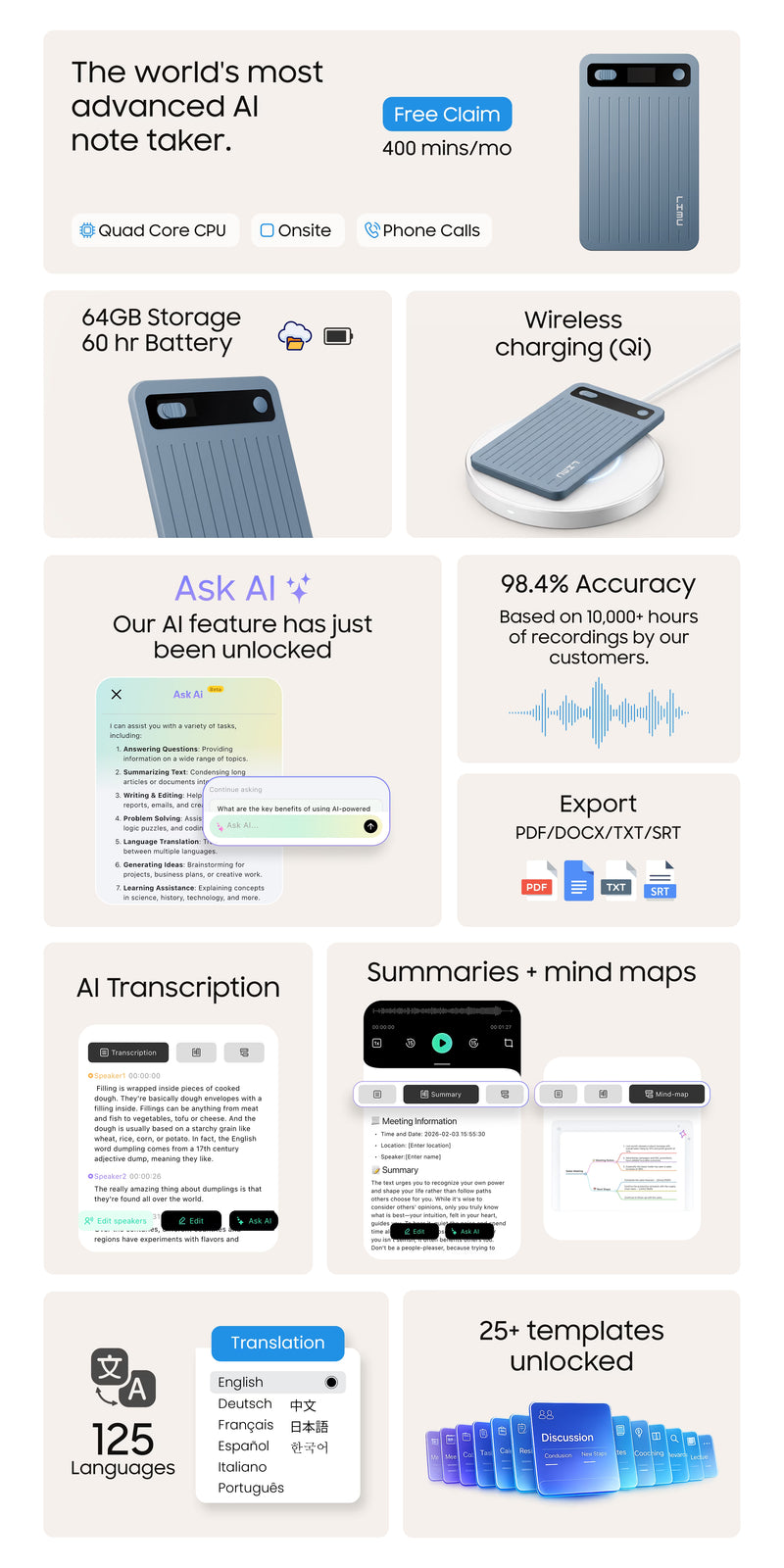
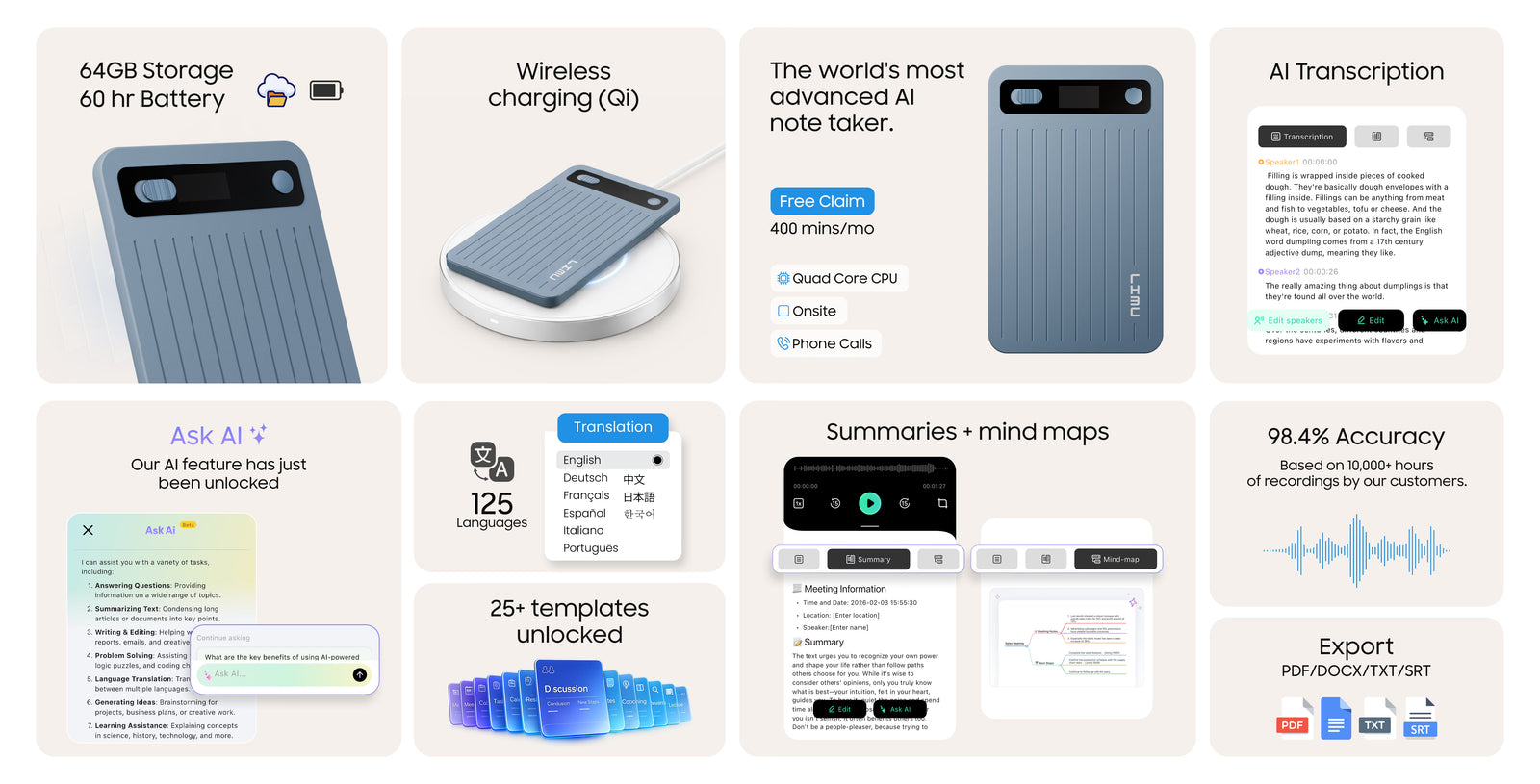
From recording to transcript, summary, Ask AI, and export, LIMU keeps the whole workflow connected.
Start recording instantly, import existing audio, or bring in files from other devices without breaking your flow.

Turn recordings into searchable transcripts with speaker labels, language controls, and templates that fit the job.

Generate summaries and mind maps, ask questions about the recording, then export or share what matters.

Real-time transcription, smarter controls, structured templates, and language tools help you get more useful results from the start.

Follow along live, adjust language when needed, and keep the meeting moving without dropping into manual note-taking.

Change the template, switch the AI model, toggle Speaker ID, and regenerate when you want a cleaner or more useful result.

From meeting minutes and task lists to lectures, BANT, SOAP, and client follow-ups, LIMU turns one recording into a format you can actually use.

Use live interpretation or dialogue translation when the conversation moves between languages, then review it later in the form you need.
Real-time transcription, smarter controls, structured templates, and language tools help you get more useful results from the start.
Watch the conversation turn into text in real time
Follow along live, adjust language when needed, and keep the meeting moving without dropping into manual note-taking.
Refine the output without redoing the recording
Change the template, switch the AI model, toggle Speaker ID, and regenerate when you want a cleaner or more useful result.
Choose the format that fits the job
From meeting minutes and task lists to lectures, BANT, SOAP, and client follow-ups, LIMU turns one recording into a format you can actually use.
Work across languages without losing the thread
Use live interpretation or dialogue translation when the conversation moves between languages, then review it later in the form you need.
Capture instantly on the device, then review, organize, and revisit key moments in the app.

Capture meetings, lectures, and ideas the moment they begin without slowing the room down.

Open the app to review transcripts, generate summaries, translate, and keep the whole workflow connected from start to finish.

Pair written thinking with audio context so your notes make more sense when you come back later.

Replay key moments through earphones or Bluetooth when you need clarity without making the room part of the process.
Capture instantly on the device, then review, organize, and revisit key moments in the app.
Tap the pen and start recording
Capture meetings, lectures, and ideas the moment they begin without slowing the room down.
Go from recording to recap in one place
Open the app to review transcripts, generate summaries, translate, and keep the whole workflow connected from start to finish.
Keep handwritten notes tied to what was said
Pair written thinking with audio context so your notes make more sense when you come back later.
Review privately, wherever you are
Replay key moments through earphones or Bluetooth when you need clarity without making the room part of the process.
From meetings and lectures to interviews and daily ideas, LIMU helps you capture the moment first and organize it later.

Capture decisions, follow-ups, and key details without splitting your attention between the conversation and a notebook.

Record the session, then come back to transcripts, summaries, and structure when it is time to review.

Stay engaged with the person in front of you, then revisit the transcript for quotes, facts, and follow-up.

Turn quick voice notes into organized content you can revisit, refine, and act on later.
From meetings and lectures to interviews and daily ideas, LIMU helps you capture the moment first and organize it later.
Stay in the discussion, not in your notes
Capture decisions, follow-ups, and key details without splitting your attention between the conversation and a notebook.
Listen now. Study later.
Record the session, then come back to transcripts, summaries, and structure when it is time to review.
Hear more in the moment, sort the detail later
Stay engaged with the person in front of you, then revisit the transcript for quotes, facts, and follow-up.
Catch the thought before it disappears
Turn quick voice notes into organized content you can revisit, refine, and act on later.
Fast, readable transcripts make it easier to find details, revisit decisions, and keep moving without replaying everything.

Scan what was said, jump to the part that matters, and stop scrubbing through long recordings for one missing detail.

Start with the recorder and continue in the app with transcripts ready for quick review, cleanup, and next steps.

Turn multilingual conversations into written content you can review, share, and understand with less friction.
Fast, readable transcripts make it easier to find details, revisit decisions, and keep moving without replaying everything.
Read more. Replay less.
Scan what was said, jump to the part that matters, and stop scrubbing through long recordings for one missing detail.
Go from audio to readable text fast
Start with the recorder and continue in the app with transcripts ready for quick review, cleanup, and next steps.
Make spoken language easier to work with
Turn multilingual conversations into written content you can review, share, and understand with less friction.
Summaries, templates, and mind maps help you understand faster, review less, and act on what matters.

Condense long conversations into concise summaries that surface the main ideas, decisions, and follow-ups faster.

Turn spoken content into visual mind maps that reveal themes, relationships, and flow at a glance.

Use summaries and mind maps together to review faster, retain more, and leave with something clearer than raw audio.

From meetings and workshops to lectures and client calls, apply the right template to turn recordings into structured summaries, action items, and usable outputs.
Summaries, templates, and mind maps help you understand faster, review less, and act on what matters.
Get the key points without the full replay
Condense long conversations into concise summaries that surface the main ideas, decisions, and follow-ups faster.
See the structure, not just the transcript
Turn spoken content into visual mind maps that reveal themes, relationships, and flow at a glance.
Move from information to clarity
Use summaries and mind maps together to review faster, retain more, and leave with something clearer than raw audio.
Choose the format that fits the conversation
From meetings and workshops to lectures and client calls, apply the right template to turn recordings into structured summaries, action items, and usable outputs.
Free monthly minutes + simple top-ups.


Trusted standards that support secure, responsible handling of recordings and data.

Certified controls for protecting sensitive information across systems and workflows.

Privacy management practices built to handle personal data responsibly.

Designed to support transparent, privacy-conscious handling of user data.

Audited security controls for reliable protection you can trust.
Storage
Battery Life
Charging
CPU
Display
Connectivity
App
Handpicked just for you.


No, you don't need any subscription.
You will get 400 free minutes every month.
Yes. You can top up minutes. You get 600 minutes for $2.50 & 3000 minutes for just $10.
You can export in all of these formats mentioned here: PDF/DOCX/TXT/SRT
Privacy is handled by On-device encryption as well as GDPR/SOC2 posture.
Only Pro Max & Pro Slim models are quad‑core.